01 / 03 · DUO
DUO - How VSO students sign up for state exams.
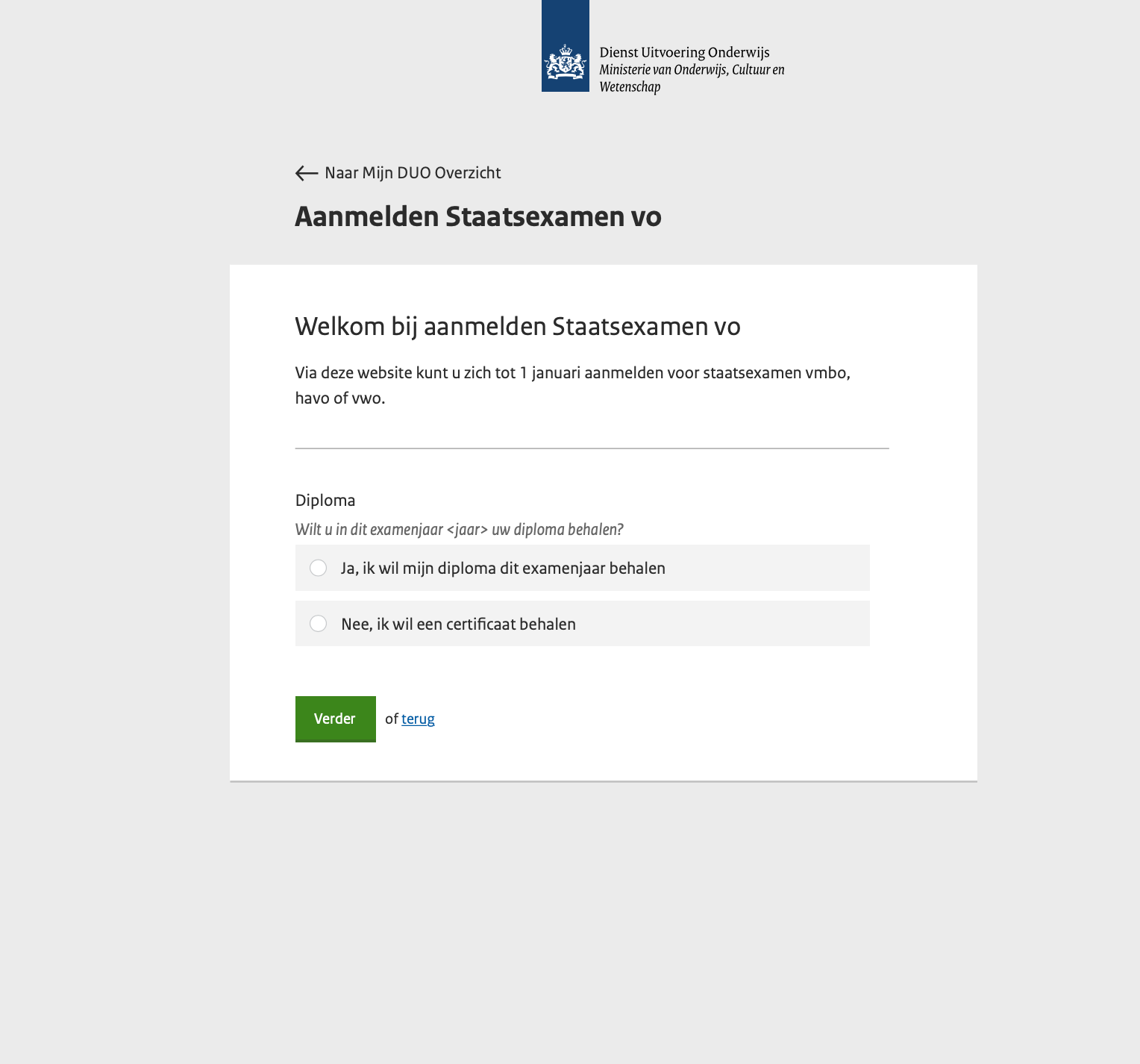
DUO runs the registration for the Dutch Staatsexamen vo - the path students take when they can't sit a regular school exam. A large share are VSO students (special-needs secondary education), where a teacher usually does the registration on the student's behalf.
The internal team had been carrying two ageing applications, a shared K-drive, multiple Excel sheets, and an inbox full of medical files. The system worked - barely - and the people running it were exhausted.
DUO wanted a single new registration app, built on their new design system, that respected the actual workflow on both sides: the student or teacher filling things in, and the staff member processing it.
One afternoon, one whiteboard, every staff member in the room. The board filled up fast. Four themes kept resurfacing - and any one of them was enough to block a registration.
EOS - the back-office system - wasn't being further developed. Half the data the team needed (extensions, special circumstances) couldn't be written back to it. So it lived in spreadsheets.
A registration meant cross-referencing the app, EOS, the N200 survey, two Excel sheets, the K-drive, the inbox, and the phone. Nobody knew if they had the whole picture.
VSO students often need accommodations. Their entire dossier was emailed in, then dropped on a shared drive. Not GDPR-clean. Not auditable. Not okay.
A school sometimes registers 200 candidates in a sitting. The app made them repeat the same form 200 times - and each got a separate invoice. Teachers gave up and called the office.
A year is a short runway in government. I split it into four blocks and refused to start mockups until the first two were done.
Two weeks with the business analyst. We reverse-engineered the current process by following one fictional candidate from intake to result, listing every system touched.
Interviews with VSO teachers on-site, with internal staff, and with two former candidates. Plus a structured workshop with the whole back-office team.
One end-to-end happy path, drawn first. Then forked into staff, candidate and teacher variants. Built on DUO's then-new design system.
First screens of the candidate flow built and put in front of real users. Documentation handed off for the team to keep pushing the work forward after my contract ended.
Stickies, paraphrased. The pattern was: the system pushes back on the team, the team builds private workarounds, and the information stays fragmented.
"EOS isn't being further developed - half our fields can't even be written back into it."
"The full care dossier comes in by email. We put it on the K-drive. There's no other place for it."
"None of this is really GDPR-clean. We know it. It's been on the list for years."
"VSO schools can't register multiple students in one go. They have to submit them one by one."
"Private candidates don't get everything on one invoice. They have to pay multiple times - and they call us about it."
"The aanmeld-applicatie itself works fine. We have short lines with our contact people at the VSO schools. That part we don't want to lose."
"Examen ranges - the candidate numbers - only come into the picture after the school has told us how many they'll send. Today that's a phone call."
The candidate, the VSO teacher (registering on someone's behalf) and the back-office processor all needed different surfaces - but the data underneath had to be the same record.
Designed on DUO's new design system tokens. Five steps in the candidate flow plus a confirmation. Kept deliberately plain - the work is in the structure, not the polish.
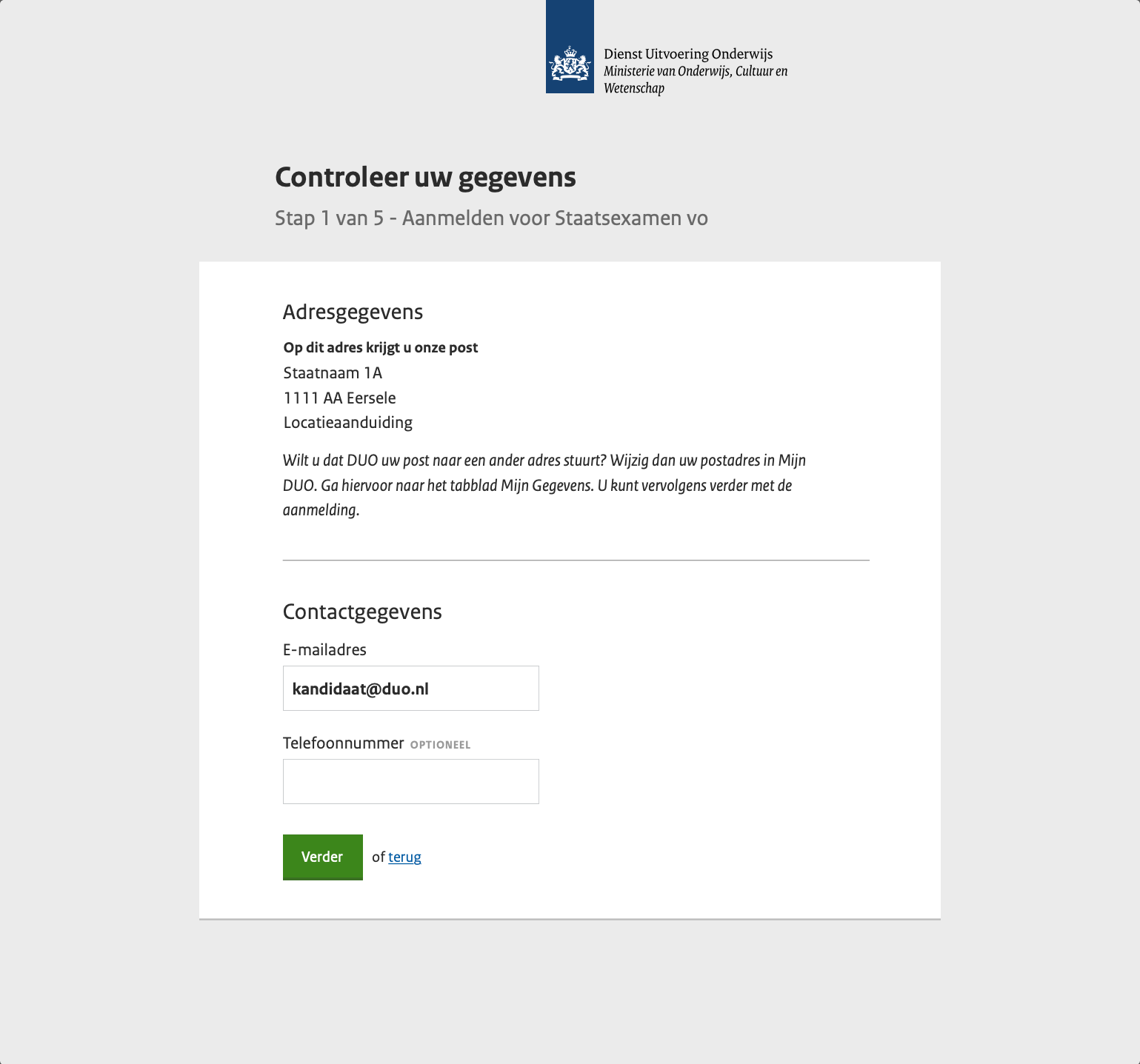
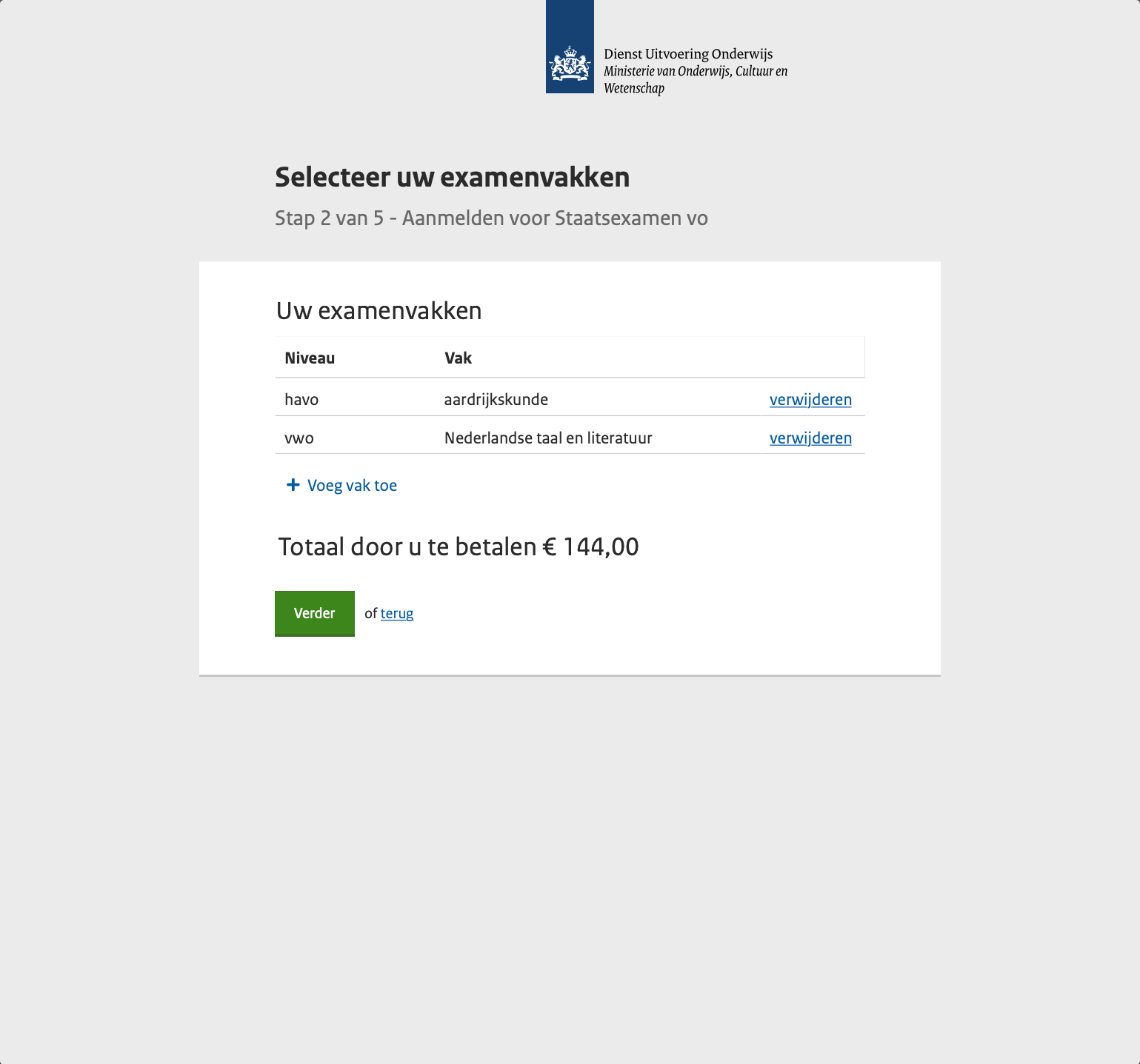
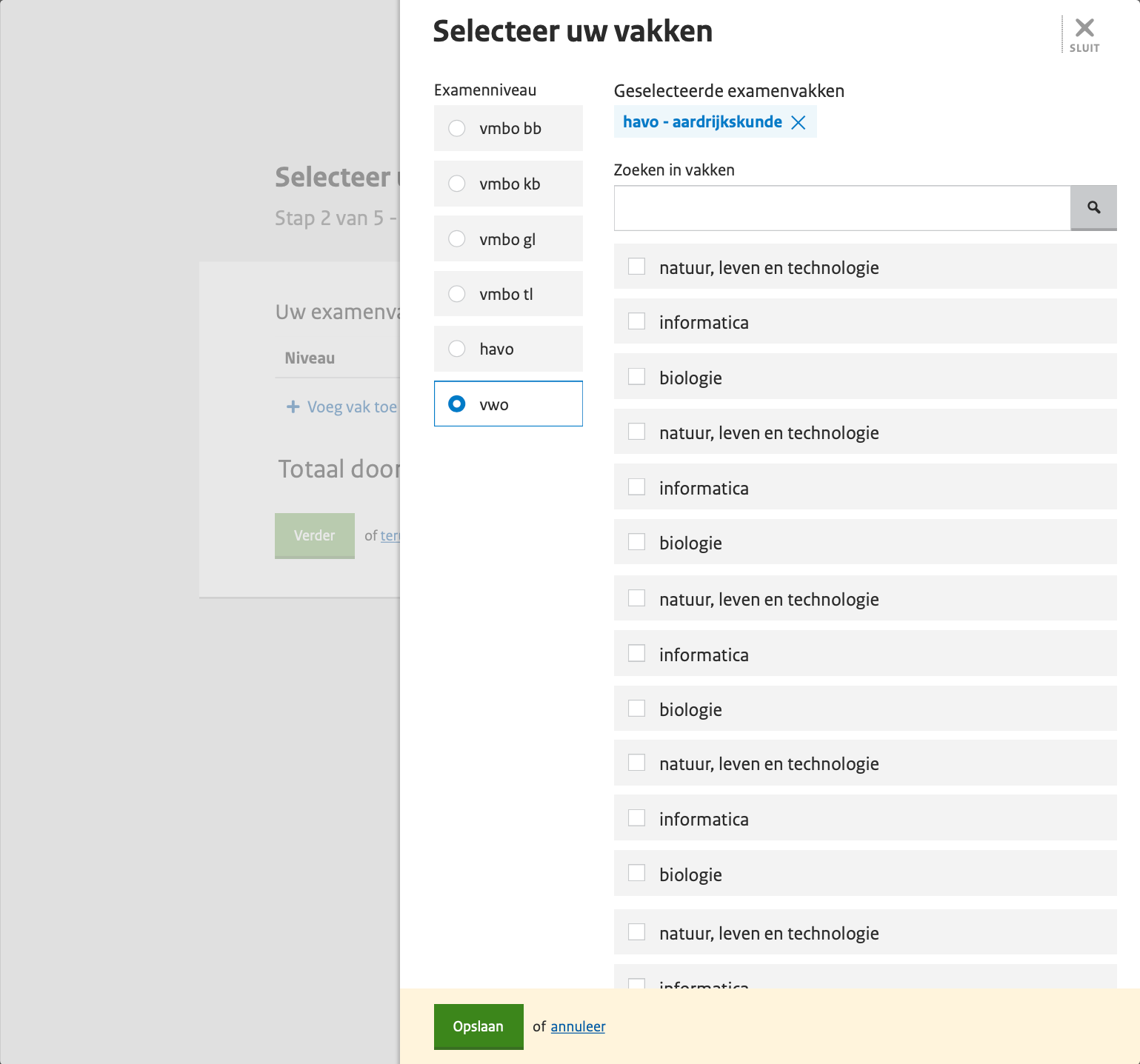
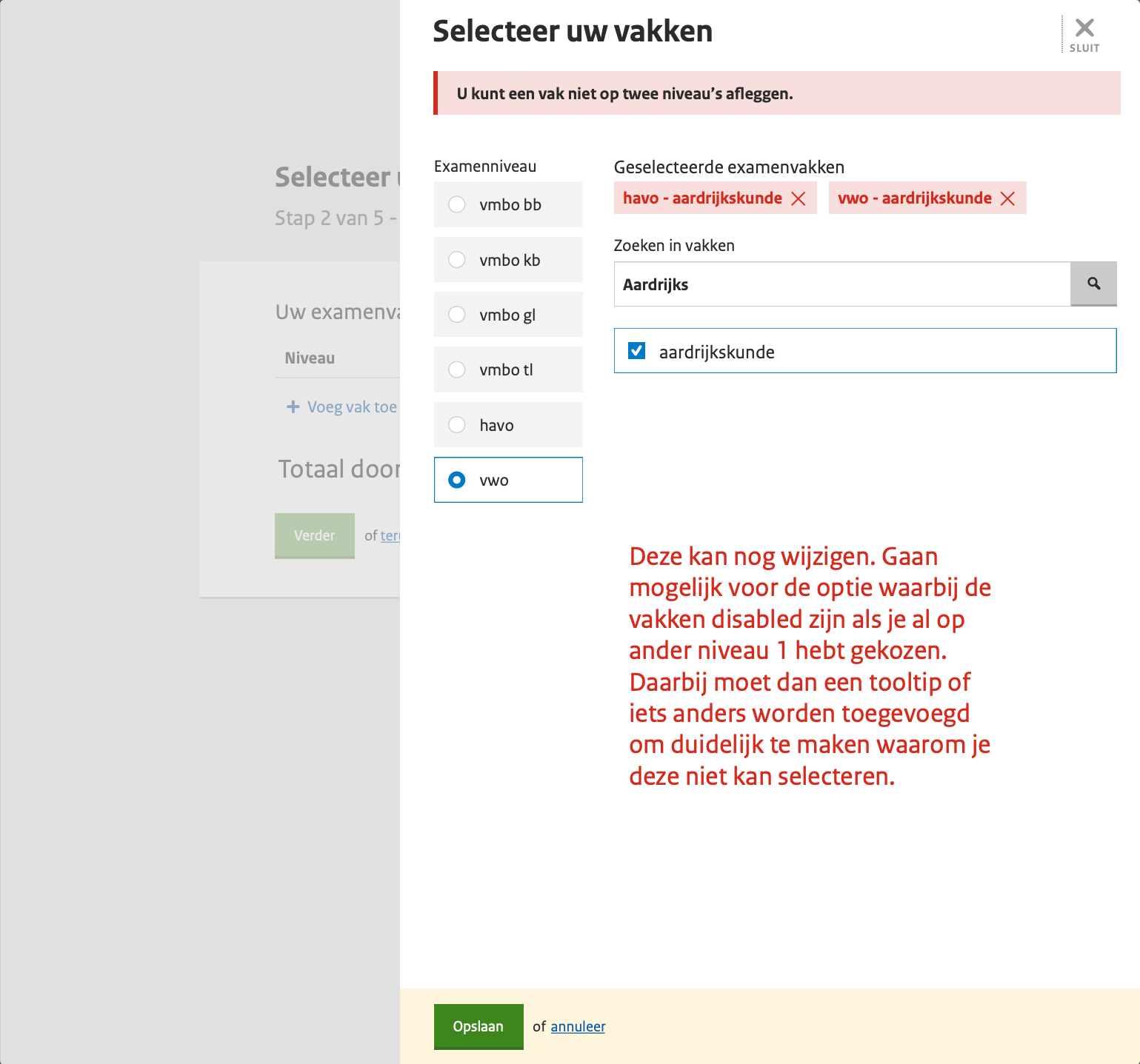
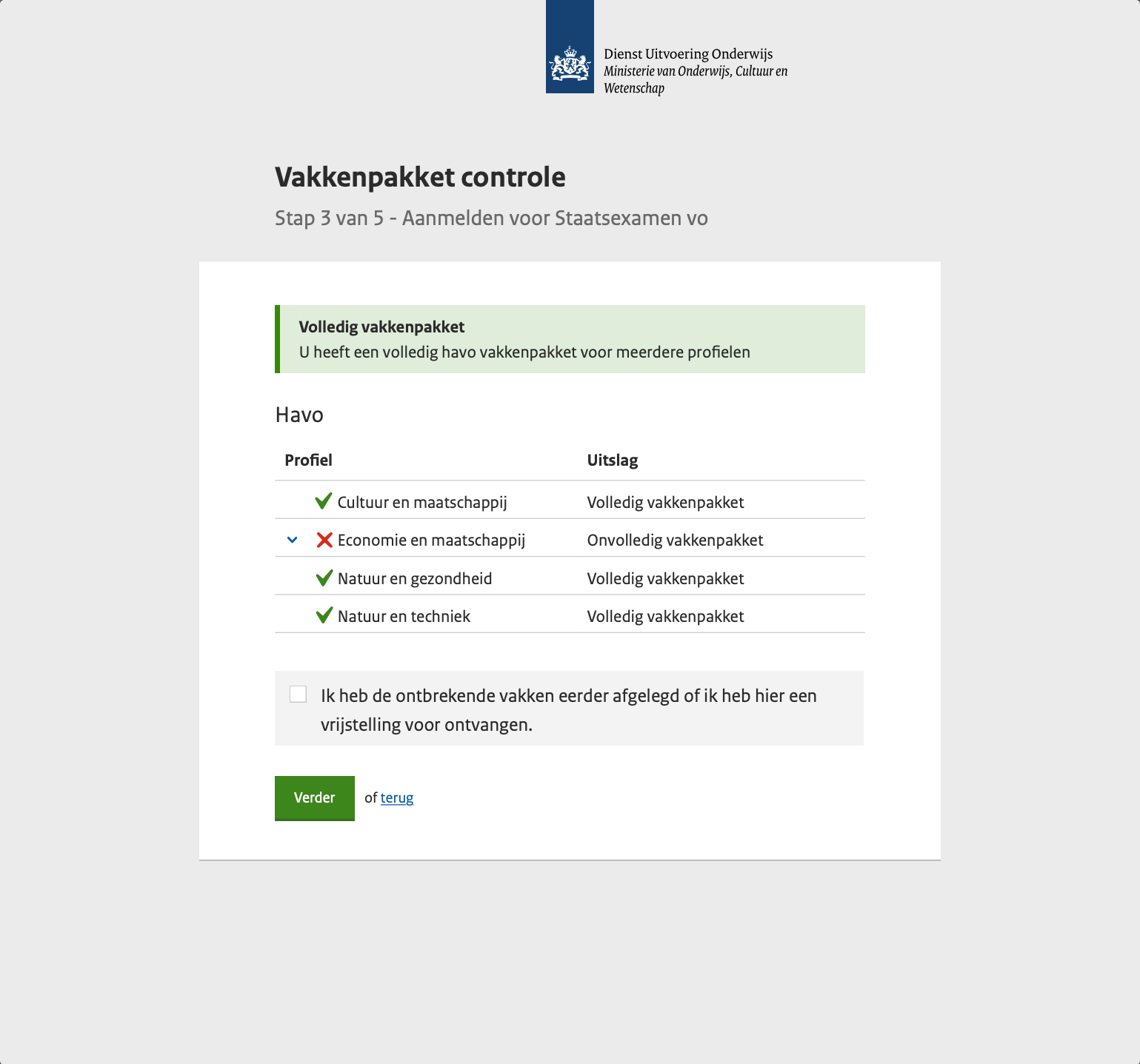
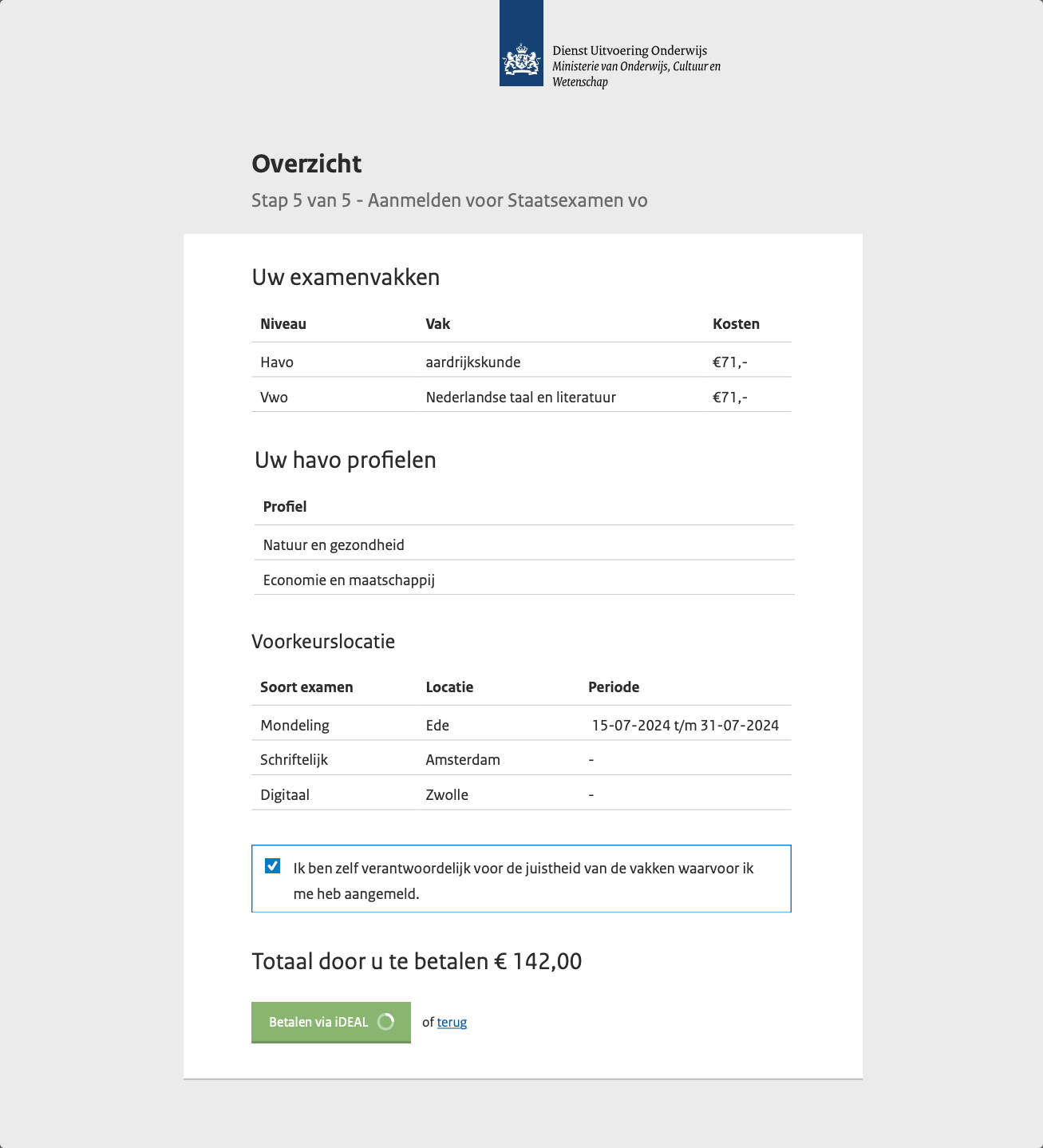
Side-by-side, before vs after. None of the "after" claims are guesses - each one tracks to a stickie from the workshop.
My contract was a year. By the end of it, the first screens of the candidate flow were built, in front of real users, and feedback was already going back into the next iteration. The teacher and back-office surfaces stayed in Figma.
What I'm proud of is that the foundation was right: the workshop findings shaped the flow, the flow shaped the screens, and the screens were grounded in DUO's design system - so the team could keep going without me.
What I'd do differently next time: get the back-office surface in front of staff in week six, not week thirty-six. Their workflow is the load-bearing one.